
To share a Google My Business page (or account) with a digital marketing agency or employee, follow these steps:
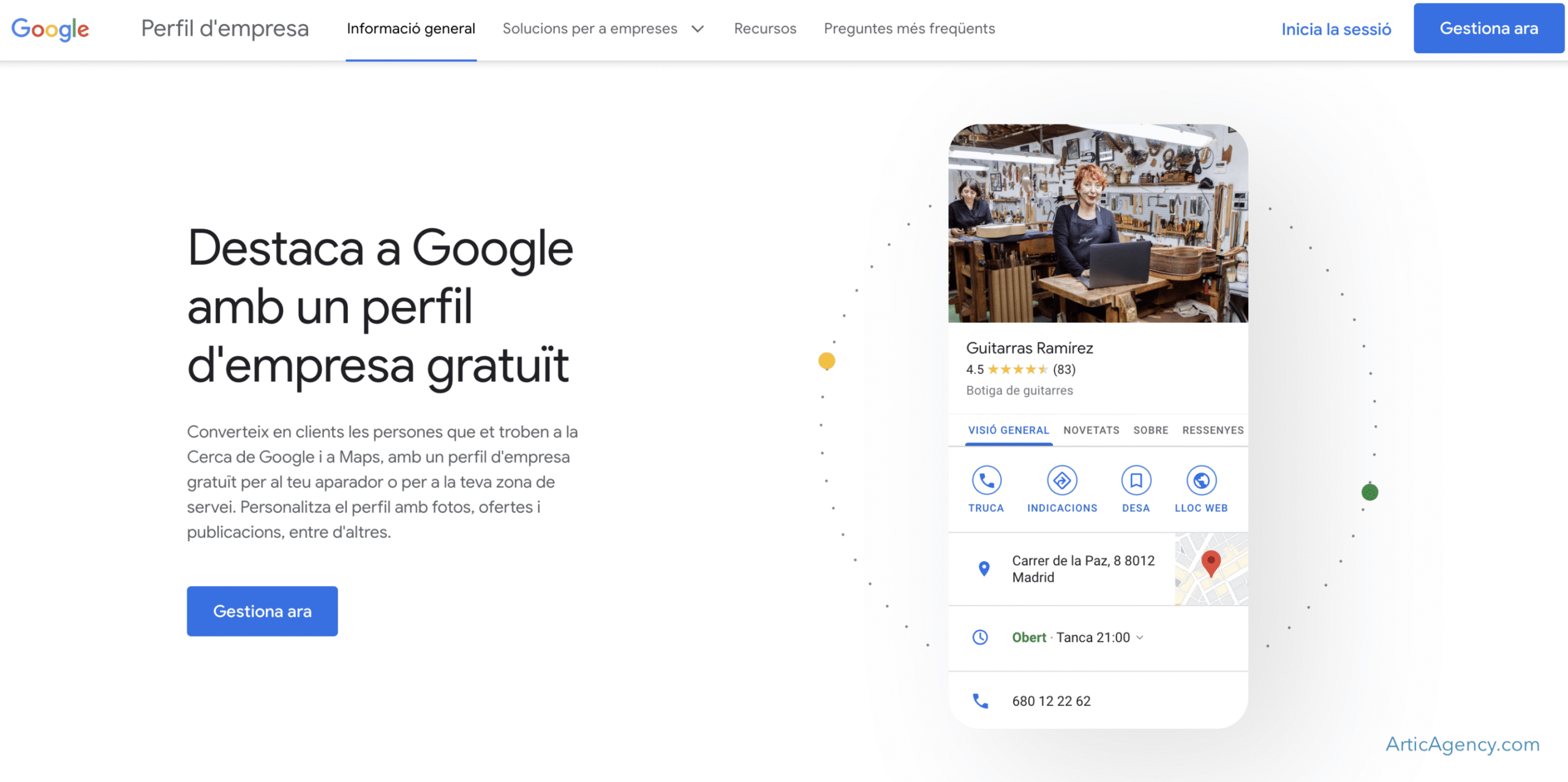
1. Access the page of Google My Business and click on Sign In and enter with the Google account that has access to this profile if you are not logged in yet.
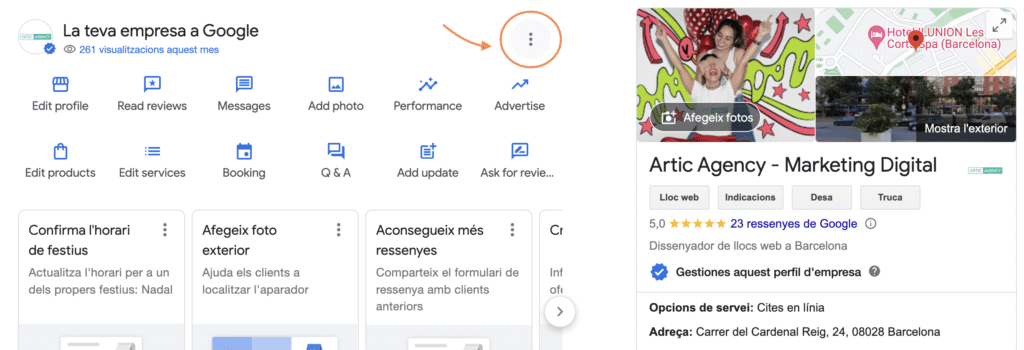
- You will see a list of your companies. Click on the selected one and It will be shown to you directly on Google with the options to manage it. Here, click on the three dots:
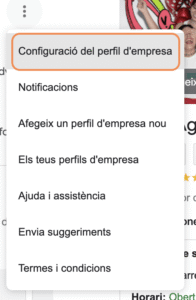
- In the drop-down menu, click on the “Company profile settings” option:
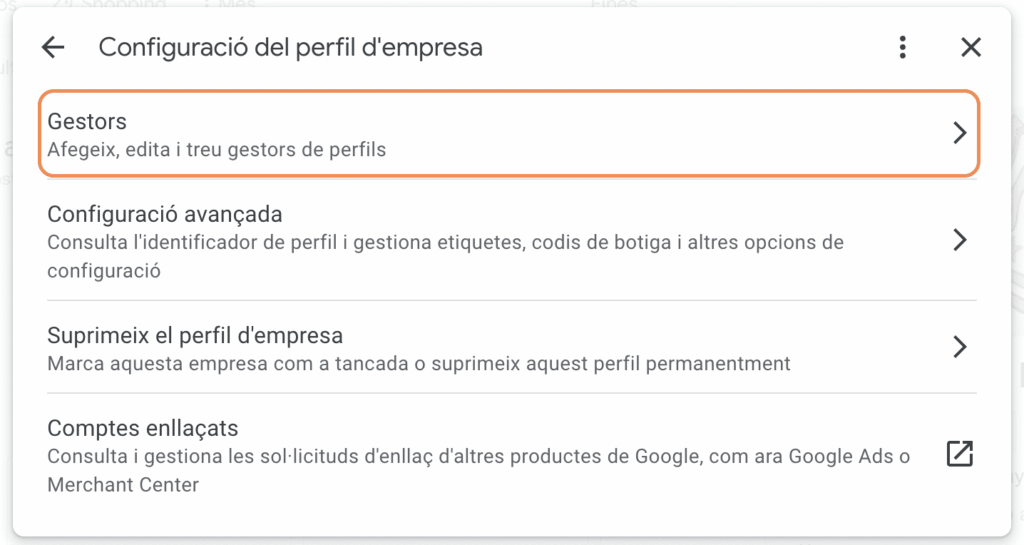
- A new menu will appear, click on “Managers (Add, edit and remove profile managers)”:
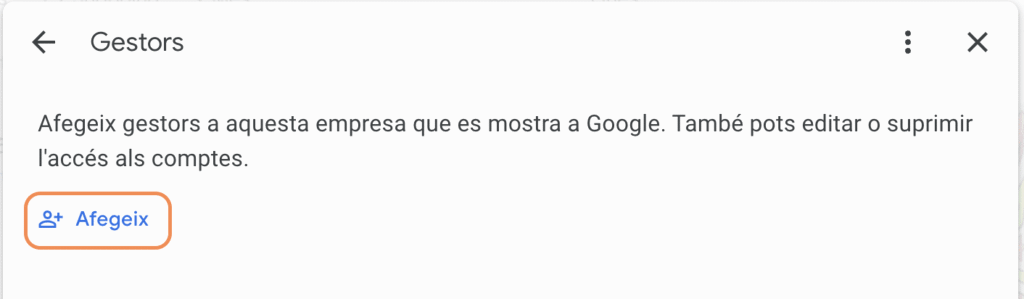
- You'll see the list of authorized accounts. Click "Add" and you'll be able to enter the email address of the person you want to be the Page Manager or Owner.
From here, your part is done. The new manager will have received a confirmation email that they must accept, and they can now start working with their business page on Google.
How to share a Google My Business page
Now you know how to share a Google My Business page today and give your digital marketing agency access to it.
